Enrolling nowComplete package · 60 hoursLive onlineMostly UrduBeginner to intermediate

AI-Powered Digital Marketing Professional

A complete, practical program that combines AI tools, Canva design and digital marketing strategy. You learn to plan, design, write, advertise and measure real marketing campaigns, and finish with a capstone campaign for a business, personal brand or client.

Free 1-year Canva Pro membership, provided during the program

  • When2 Jan – 20 Mar 2027
  • Duration60 hours · 15 sessions
  • Days & timeSat & Sun, 2–6 pm
    Ramzan: 2–4 pm
  • FormatLive online
    Zoom or Microsoft Teams
  • LanguageMostly Urdu
    with English terms
  • Enrol bySat 2 January 2027

Live session schedule

All times are Pakistan time (PKT). Ramzan sessions are 2 hours, so a 4-hour session is split over two days. No classes on 13–14 February (start of Ramzan) and 13–14 March (Eid ul-Fitr holidays). Ramzan and Eid dates depend on the moon sighting; any change will be confirmed on WhatsApp.

  1. 2Jan
    AI Tools 1AI Fundamentals & Prompting for MarketersSat 2 January 2027 · 2:00 pm–6:00 pm PKT
  2. 3Jan
    AI Tools 2AI Copywriting & Content CreationSun 3 January 2027 · 2:00 pm–6:00 pm PKT
  3. 9Jan
    AI Tools 3AI Image Generation & Video CreationSat 9 January 2027 · 2:00 pm–6:00 pm PKT
  4. 10Jan
    AI Tools 4AI Automation, Agents & Marketing AnalyticsSun 10 January 2027 · 2:00 pm–6:00 pm PKT
  5. 16Jan
    Canva 1Canva Fundamentals & Brand IdentitySat 16 January 2027 · 2:00 pm–6:00 pm PKT
  6. 17Jan
    Canva 2Social Media Graphics & Marketing CreativesSun 17 January 2027 · 2:00 pm–6:00 pm PKT
  7. 23Jan
    Canva 3Canva Video, Presentations & AI Design FeaturesSat 23 January 2027 · 2:00 pm–6:00 pm PKT
  8. 24Jan
    Marketing 1Digital Marketing Foundations & StrategySun 24 January 2027 · 2:00 pm–6:00 pm PKT
  9. 30Jan
    Marketing 2Social Media Marketing & Content PlanningSat 30 January 2027 · 2:00 pm–6:00 pm PKT
  10. 31Jan
    Marketing 3Meta Advertising: Facebook & Instagram AdsSun 31 January 2027 · 2:00 pm–6:00 pm PKT
  11. 6Feb
    Marketing 4Google Ads & Search Engine MarketingSat 6 February 2027 · 2:00 pm–6:00 pm PKT
  12. 7Feb
    Marketing 5SEO & Local Search OptimizationSun 7 February 2027 · 2:00 pm–6:00 pm PKT
  13. 13Feb
    No classes: start of RamzanSat 13 – Sun 14 February 2027
  14. 20Feb
    Marketing 6Website Strategy, Landing Pages & Lead GenerationSat 20 February 2027 · 2:00 pm–4:00 pm PKT Ramzan
  15. 21Feb
    Marketing 6Website Strategy, Landing Pages & Lead GenerationSun 21 February 2027 · 2:00 pm–4:00 pm PKT Ramzan
  16. 27Feb
    Marketing 7Email Marketing & Customer Relationship ManagementSat 27 February 2027 · 2:00 pm–4:00 pm PKT Ramzan
  17. 28Feb
    Marketing 7Email Marketing & Customer Relationship ManagementSun 28 February 2027 · 2:00 pm–4:00 pm PKT Ramzan
  18. 6Mar
    Marketing 8Analytics, Reporting, Freelancing & Campaign ReviewSat 6 March 2027 · 2:00 pm–4:00 pm PKT Ramzan
  19. 7Mar
    Marketing 8Analytics, Reporting, Freelancing & Campaign ReviewSun 7 March 2027 · 2:00 pm–4:00 pm PKT Ramzan
  20. 13Mar
    No classes: Eid ul-Fitr holidaysSat 13 – Sun 14 March 2027
  21. 20Mar
    CapstoneCapstone project presentationsSat 20 March 2027 · 2:00 pm–6:00 pm PKT

Who should join

  • Students and fresh graduates who want an in-demand digital skill
  • Freelancers who want to offer social media, design and marketing services
  • Small business owners and home-based entrepreneurs who market their own business
  • Marketing, sales and communications staff who want to work faster with AI

What you will be able to do

  • Use ChatGPT, Gemini, Claude and other AI tools for research, copywriting, images and video
  • Design branded posts, carousels, presentations and short videos in Canva
  • Plan content and run Facebook, Instagram and Google Ads campaigns
  • Improve search visibility with SEO and Google Business Profile
  • Build landing pages, lead magnets, email journeys and simple automations
  • Measure results with GA4 and present a campaign report and service proposal

Program outline

Each session includes instruction, live demonstration, guided practical work and review.

AI Tools for Digital Marketing · 16 hours · 4 sessions

01AI Fundamentals & Prompting for Marketers2 Jan, 2:00 pm–6:00 pm
  • Generative AI, large language models and marketing use cases.
  • Prompt structure: role, context, task, audience, tone, constraints and output format.
  • Comparing AI assistants and selecting a suitable tool for marketing tasks.
  • AI-assisted market, competitor and customer research.
  • NotebookLM with source documents and reference material.
  • Fact-checking, privacy, bias and responsible AI use.

Tools: ChatGPT, Google Gemini, Claude, Perplexity, NotebookLM

Practical assignment: Build a reusable prompt library and AI-assisted research brief.

02AI Copywriting & Content Creation3 Jan, 2:00 pm–6:00 pm
  • AI-generated campaign ideas, content pillars and captions.
  • AIDA and PAS copywriting frameworks.
  • Hooks, headlines, product descriptions, blog outlines and ad variations.
  • AI-assisted scripts for Reels, Shorts and promotional videos.
  • English and Urdu audience adaptation.
  • Editing for accuracy, originality and brand voice.

Tools: ChatGPT, Gemini, Grammarly

Practical assignment: Create a content pack with posts, product copy, blog outline and video script.

03AI Image Generation & Video Creation9 Jan, 2:00 pm–6:00 pm
  • Visual prompts: subject, setting, composition, lighting, style and aspect ratio.
  • Generating campaign visuals, product concepts and mockups.
  • Editing and refining AI-generated images.
  • AI video concepts, storyboards and scene planning.
  • Text-to-video and AI voiceover demonstrations where available.
  • Copyright, permissions, disclosure and ethical use.

Tools: ChatGPT image tools, Canva AI, available image and video tools, CapCut

Practical assignment: Produce three visual concepts and one short AI-assisted marketing video.

04AI Automation, Agents & Marketing Analytics10 Jan, 2:00 pm–6:00 pm
  • Introduction to automation workflows and AI agents.
  • Triggers, conditions, filters and actions.
  • AI-assisted lead response, customer support and follow-up concepts.
  • Connecting tools through Zapier or Make demonstrations.
  • AI-assisted campaign data summaries and performance patterns.
  • Validating calculations and reviewing AI recommendations.

Tools: ChatGPT, Zapier, Make, Google Sheets, GA4, Looker Studio

Practical assignment: Map a lead follow-up automation and create an AI-assisted campaign insights report.

Canva Designing · 12 hours · 3 sessions

05Canva Fundamentals & Brand Identity16 Jan, 2:00 pm–6:00 pm
  • Canva workspace, templates, elements, uploads and design formats.
  • Visual hierarchy, typography, contrast, alignment and colour psychology.
  • Brand kit: logo, colour palette and fonts.
  • Brand consistency and layout best practices.

Tools: Canva, Canva Brand Kit

Practical assignment: Create a mini brand style guide and a branded social post.

06Social Media Graphics & Marketing Creatives17 Jan, 2:00 pm–6:00 pm
  • Facebook and Instagram posts, stories and promotional flyers.
  • Multi-slide carousels and educational graphics.
  • Advertisements with clear messages and calls to action.
  • Template customization and originality.
  • Resizing and exporting for different platforms.

Tools: Canva, Canva templates and available Magic Studio features

Practical assignment: Create three branded posts and one carousel.

07Canva Video, Presentations & AI Design Features23 Jan, 2:00 pm–6:00 pm
  • Presentations, pitch decks and marketing documents.
  • Canva video editor: clips, transitions, text, audio and animations.
  • Available AI features such as Magic Design and Magic Write.
  • Background removal, image editing and Magic Eraser where available.
  • Exporting and preparing assets for digital publishing.

Tools: Canva, Canva AI / Magic Studio, Canva Video

Practical assignment: Create a short Canva marketing video and a mini presentation.

Digital Marketing · 32 hours · 8 sessions

08Digital Marketing Foundations & Strategy24 Jan, 2:00 pm–6:00 pm
  • Digital versus traditional marketing; channels, objectives and ROI.
  • Customer journey and funnel: awareness, consideration, conversion and retention.
  • Target audience, customer persona, pain points and buying behaviour.
  • Brand positioning, USP and marketing objectives.

Tools: Google Trends, Google Sheets, social platforms

Practical assignment: Prepare a marketing strategy and customer persona for a selected business.

09Social Media Marketing & Content Planning30 Jan, 2:00 pm–6:00 pm
  • Choosing platforms: Facebook, Instagram, LinkedIn, TikTok and YouTube.
  • Optimizing business profiles, bios, links and calls to action.
  • Content pillars, engagement, community management and platform formats.
  • 30-day content calendar, scheduling and Meta Business Suite.
  • Account permissions and security basics.

Tools: Meta Business Suite, Facebook, Instagram, LinkedIn, TikTok, YouTube

Practical assignment: Prepare a 30-day calendar and optimize one business profile.

10Meta Advertising: Facebook & Instagram Ads31 Jan, 2:00 pm–6:00 pm
  • Business Manager and Ads Manager structure.
  • Campaign objectives: awareness, traffic, engagement, leads, messages and sales.
  • Audience selection, placements, budget and campaign structure.
  • Creative testing, ad copy variations and optimization.
  • Metrics: reach, impressions, CTR, CPC, CPM, CPL and ROAS.

Tools: Meta Ads Manager, Meta Ad Library

Practical assignment: Create a Meta campaign plan with audience, budget, copy and creative brief.

11Google Ads & Search Engine Marketing6 Feb, 2:00 pm–6:00 pm
  • Google Ads and search engine marketing fundamentals.
  • Search intent, keyword research and grouping.
  • Match types and negative keyword strategy.
  • Responsive Search Ads, headlines, descriptions and assets.
  • Budgeting, bidding concepts and Quality Score factors.
  • Overview of Display, YouTube and Performance Max.

Tools: Google Ads, Google Keyword Planner

Practical assignment: Develop a Google Search campaign draft with keywords, negative keywords and ad copy.

12SEO & Local Search Optimization7 Feb, 2:00 pm–6:00 pm
  • How search engines crawl, index and rank pages.
  • Keyword research, search intent and topic clusters.
  • On-page SEO: titles, meta descriptions, headings, URLs, alt text and internal links.
  • Technical SEO and mobile-friendly content basics.
  • Local SEO and Google Business Profile.
  • Introduction to AI search visibility and helpful content.

Tools: Google Search Console, Google Trends, Keyword Planner

Practical assignment: Prepare a keyword map and optimize a sample service page or article.

13Website Strategy, Landing Pages & Lead Generation20 Feb, 2:00 pm–4:00 pm (Ramzan) · 21 Feb, 2:00 pm–4:00 pm (Ramzan)
  • Website objectives, navigation and conversion pathways.
  • Landing page structure: headline, benefits, trust signals, FAQs and CTA.
  • Lead magnets: checklists, guides, templates and consultations.
  • Lead forms, WhatsApp Business and customer enquiry journeys.
  • WordPress and no-code website concepts; mobile usability.

Tools: WordPress, Canva Websites, Google Forms, WhatsApp Business

Practical assignment: Create a landing-page wireframe and lead-generation plan.

14Email Marketing & Customer Relationship Management27 Feb, 2:00 pm–4:00 pm (Ramzan) · 28 Feb, 2:00 pm–4:00 pm (Ramzan)
  • Permission-based email list building and consent.
  • Audience segmentation and personalization.
  • Welcome, nurture and promotional email campaigns.
  • Subject lines, email copy, calls to action and scheduling.
  • Introduction to CRM and customer follow-up.

Tools: Mailchimp or MailerLite, HubSpot

Practical assignment: Plan a three-part welcome email sequence and follow-up journey.

15Analytics, Reporting, Freelancing & Campaign Review6 Mar, 2:00 pm–4:00 pm (Ramzan) · 7 Mar, 2:00 pm–4:00 pm (Ramzan)
  • Marketing KPIs and measurement plans.
  • GA4 basics, traffic acquisition and conversion events.
  • UTM tracking and campaign reporting.
  • CTR, CPC, CPL, CPA, conversion rate and ROAS.
  • Freelance services, portfolio, proposals, pricing and client communication.
  • Final campaign review and presentation.

Tools: Google Analytics 4, Google Sheets, Looker Studio, LinkedIn, Fiverr, Upwork

Practical assignment: Prepare a sample campaign report and present a digital marketing service proposal.

Final capstone project

You combine all three modules to build a digital marketing campaign for a selected business, personal brand or client, and present it on Sat 20 March 2027.

  1. Business overview, customer persona, USP and campaign objectives.
  2. 30-day social media calendar with captions and calls to action.
  3. Canva brand kit, three social designs and one carousel.
  4. One short-form marketing video with script and captions.
  5. SEO keyword map and optimized sample page.
  6. Meta Ads and Google Ads campaign plans.
  7. Landing page wireframe and lead magnet.
  8. Three-part email sequence and lead follow-up workflow.
  9. Sample analytics report with findings and recommendations.
  10. AI prompt library showing how AI supported the campaign.

What's included

  • Live online classes on Zoom or Microsoft Teams
  • Free 1-year Canva Pro membership, provided during the program
  • Practical assignment in every session
  • Capstone campaign project combining all three modules
  • Session recordings available for at least 6 months
  • E-certificate of completion from Parha Likha Pakistan
  • Taught mostly in Urdu, with English terms

Before you join

  • A laptop or computer with a stable internet connection (a phone alone is not enough for the practical work)
  • A Google account, and Zoom or Microsoft Teams installed
  • Basic computer and internet skills: typing, browsing, downloading and uploading files
  • A free Canva account; the Canva Pro membership is provided during the program
  • A Facebook or Instagram account to practise with (a business page is helpful but not required)

Assessment & certificate

  • Module practical assignments and participation: 30%
  • Integrated capstone portfolio: 40%
  • Final presentation and explanation of campaign decisions: 30%

To receive the certificate: at least 80% attendance, plus completing and presenting the capstone project.

AI platforms and design tools change frequently. Demonstrations use the features available at the time of delivery. Some tools or advanced features may need paid subscriptions, regional availability or account verification; free versions are used wherever possible. Always review AI-generated content for accuracy, originality, privacy, permissions and suitability before publishing.

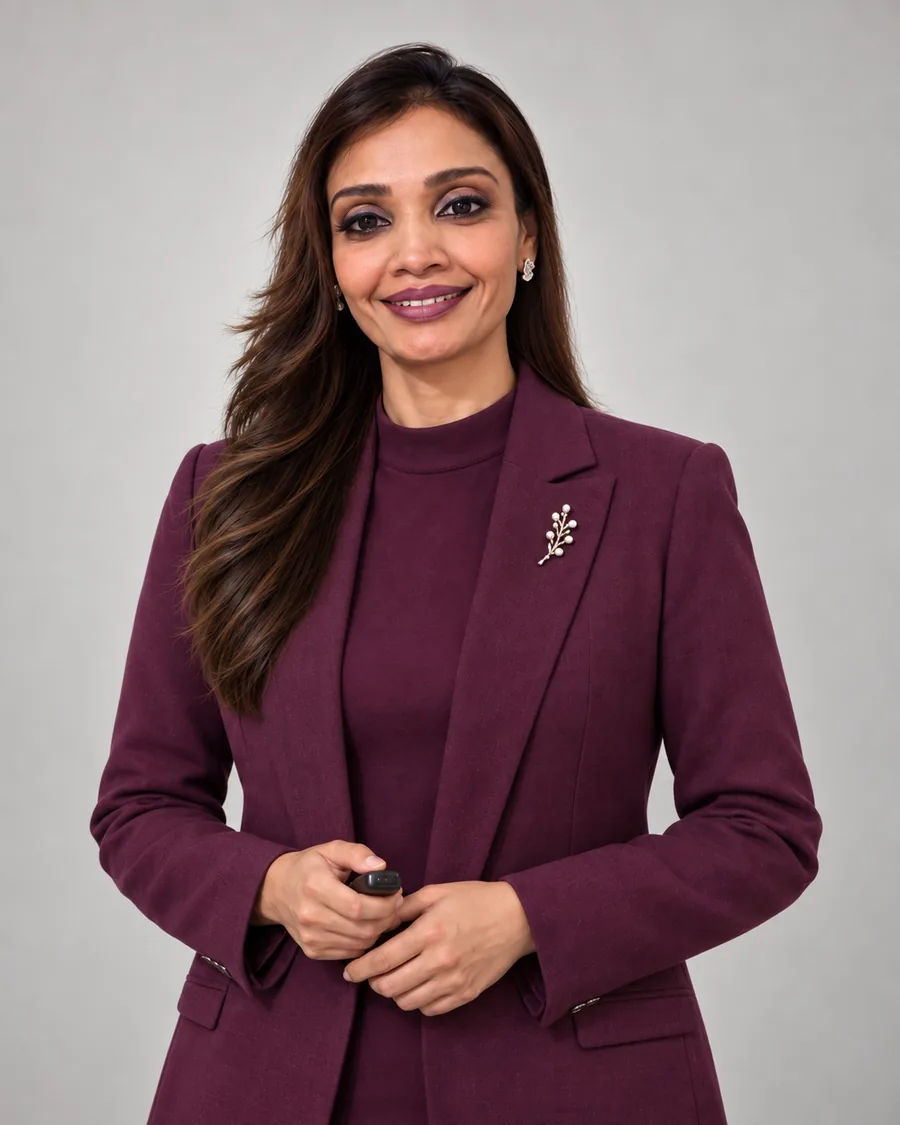
Mehwish Jahangir Sachwani

Your trainer

Mehwish Jahangir Sachwani

Founder & CEO · AI Trainer & Consultant · Digital Marketing Strategist

15+ years of professional experience and 30,000+ students and professionals trained. Google Certified in Digital Marketing, with hands-on expertise in Generative AI, Canva and content creation.

Frequently asked questions

What language is the course taught in?

Mostly in Urdu, with English terms for the tools and concepts.

Can I join only one module?

Yes. Each module can be taken on its own: AI Tools for Digital Marketing (PKR 3,500), Canva Designing (PKR 2,500) or Digital Marketing (PKR 5,000). The complete package costs PKR 10,000, a saving of PKR 1,000.

When are the classes?

Classes are on Saturdays and Sundays, 2–6 pm (Pakistan time). During Ramzan they are shorter, 2–4 pm, so a 4-hour session is split over two days. There are no classes on the first weekend of Ramzan (13–14 February) or during the Eid ul-Fitr holidays. Ramzan and Eid dates depend on the moon sighting; we will confirm any change on WhatsApp.

How is AI Tools for Digital Marketing different from your Generative AI program?

AI Tools for Digital Marketing is built only for marketing: every example is a marketing task, such as competitor research, ad copy, captions, Reels scripts, campaign visuals and lead follow-up. Our Generative AI program is for everyday professional work, such as emails, reports, research, documents and spreadsheets, and uses different tools and examples. See our AI Programs.

How do I join the online classes?

Classes are live on Zoom or Microsoft Teams. After your payment is confirmed, we send you the class link and schedule on WhatsApp and email.

What if I miss a session?

Every session is recorded. Recordings are available for at least 6 months after the program ends.

Is a Canva Pro membership included?

Yes. Participants of the Canva Designing module (and the complete package) get a free 1-year Canva Pro membership, provided during the program.

Is there a group discount?

Yes: 5 + 1 free and 10 + 2 free. For every 5 paid seats, one more seat is free. Choose the number of participants in the enrolment form and the total is calculated for you.

How do I pay?

After you submit the enrolment form, you will see the payment details for Easypaisa and bank transfer (Meezan Bank). Send a screenshot of your payment on WhatsApp and we will confirm your seat.

When is my seat confirmed?

Your seat is confirmed once we receive your full payment.

Can I get a refund if I cancel or cannot attend?

No. Fees are non-refundable once paid, including if you cancel, cannot attend or stop attending after the program starts. Missed sessions are covered by the recordings. Please read the Refund & Cancellation Policy before you pay.

What if PLP cancels or changes the program?

If PLP cancels a program, you receive a full refund, normally within 14 working days. If a session date or time has to change (for example because of Ramzan, Eid or public holidays), we will tell you in advance on WhatsApp and arrange a replacement session; a schedule change is not a cancellation. Full details: Refund & Cancellation Policy.

Are free group seats refundable?

No. Free seats under the group discount have no cash value and cannot be exchanged for a refund.

Do I get a certificate?

Yes. Participants with at least 80% attendance who complete the practical assignments receive an e-certificate of completion from Parha Likha Pakistan. For the complete package, the capstone project and presentation are also required.

What do I need?

A laptop or computer with a stable internet connection and a Google account. Free versions of the tools are used wherever possible.

Can this course be run for our team only?

Yes. We can deliver any program privately for your organization, online or onsite. See Corporate Training or contact us.

Fees, refunds and cancellations are covered in full in our Refund & Cancellation Policy.

Also in this batch

Other public programs

Enrolling now Module 1 · 16 hours

AI Tools for Digital Marketing

Use AI to market faster and better: research customers and competitors, write ad copy and captions, create campaign visuals and short videos, and automate lead follow-up.

  • 16 hours · 4 class days
  • 2–10 January 2027
  • Saturdays & Sundays, 2–6 pm
  • Live online · Zoom or Microsoft Teams

Fee per participant

PKR 3,500

View details & enrol

Enrolling now Module 2 · 12 hours

Canva Designing

Create professional, on-brand designs in Canva: social media posts, carousels, flyers, presentations and short videos, using Canva's AI design features.

  • 12 hours · 3 class days
  • 16–23 January 2027
  • Saturdays & Sundays, 2–6 pm
  • Live online · Zoom or Microsoft Teams

Free 1-year Canva Pro membership, provided during the program

Fee per participant

PKR 2,500

View details & enrol

Enrolling now Module 3 · 32 hours

Digital Marketing

A practical digital marketing course covering strategy, social media, Facebook, Instagram and Google Ads, SEO, landing pages, email marketing, analytics and how to start freelancing.

  • 32 hours · 11 class days
  • 24 Jan – 7 Mar 2027
  • Saturdays & Sundays, 2–6 pm (2–4 pm in Ramzan)
  • Live online · Zoom or Microsoft Teams

Fee per participant

PKR 5,000

View details & enrol